To use doubao-seed-1-6 or qwen3-omni-flash, you need to pass image_url or video_url. How can this be implemented using an LLM node?
For handling image_url with LLM integration, my implementation approach is as follows (welcome more sharing and discussion):
-
Add a “HTTP Request” node
Use a GET request to image_url to obtain the output result, which is a list of files. -
Add a “List Operation” node
Input the file list from the previous step to obtain the first_record as the output file. -
Add an “LLM” node
At this point, you can reference the file from the previous node.
Note: The HTTP request in step 1 may return images in GIF format (even if the file extension is jpg/png/jpeg, etc.), which could cause the LLM to fail to parse. Therefore, an if condition should be added beforehand to prevent LLM errors.
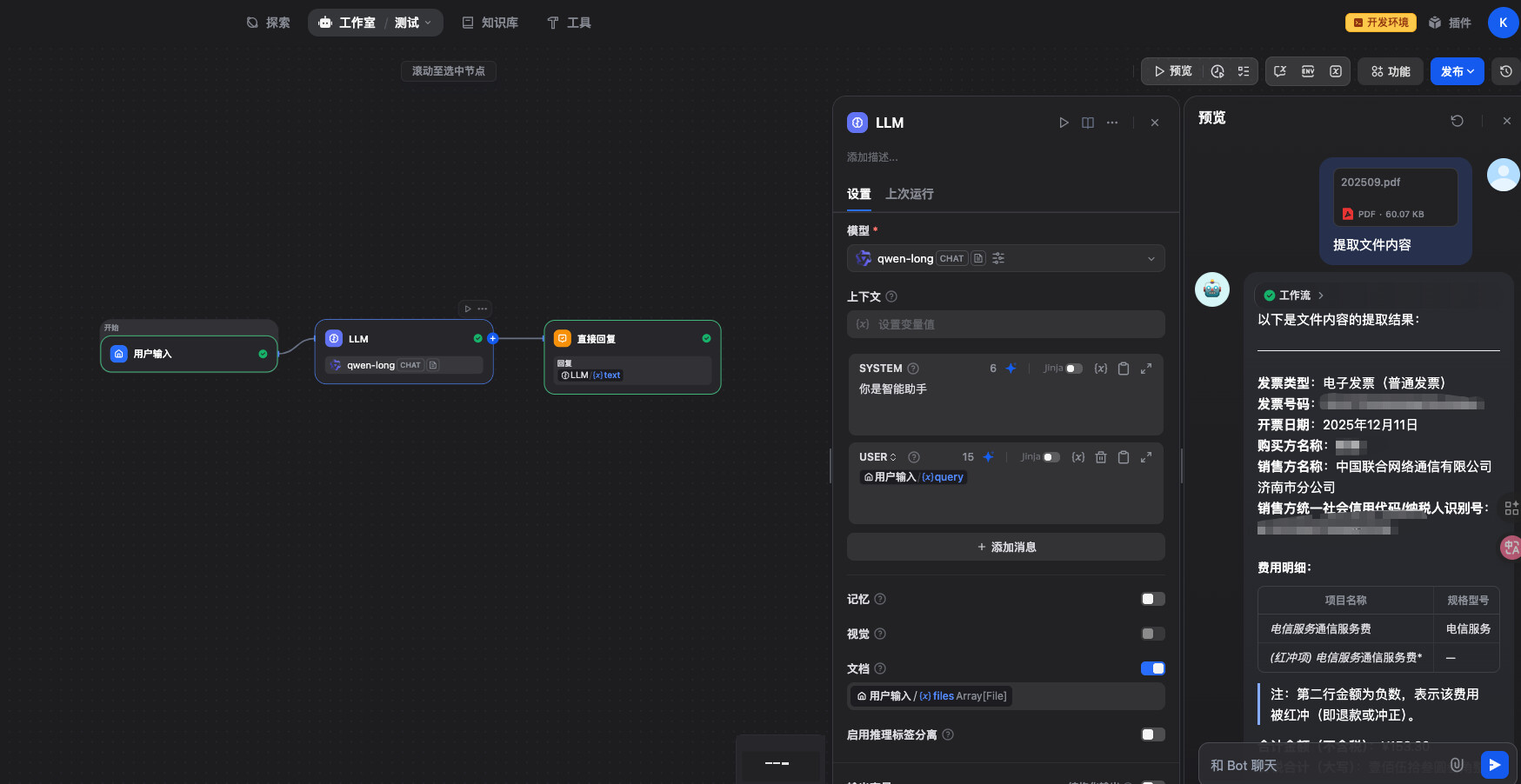
It’s a bit troublesome. I’m currently using an HTTP node instead of LLM. There’s a reply downstairs mentioning that the LLM node now supports document input.
Which version are you using? I’m using 1.10.1 and there’s no document input option.
The self-referential visualization logic has been modified, and corresponding configurations have been added for the document model.
There are multiple ways to implement this. My approach mainly involves parsing the file first via HTTP requests, then using an LLM-VL model combined with prompts to extract content from the image. Friends below, you can try directly extracting using a model that supports this image. Both methods are worth trying, and you can evaluate them based on model costs.